
Cut the right fabric and buy the right floss, the first time.
Floss Box turns Claude, ChatGPT, Gemini or Grok into a stitching teacher who does the counting for you. Tell it the pattern size, the fabric and how you want to finish it, and get the cut size, floss list, needle and a plan from first stitch to frame.
Get Floss Box Stitch Guide for $5 Work out sizes
$5 once · card, Apple Pay or Google Pay · download in a minute
Into more than one hobby? Get all 70 hobby skills for $19, this one included.
- One-time $5
- Instant email delivery
- 14-day refund
- Works in Claude, ChatGPT, Gemini and Grok
Project plan: 140 × 100 stitch sampler
28 count linen over 2 · 2 strands · framed behind glass
Over 2Inches and cmFraming
- SizeDesign is 10 × 7.1 in (25.4 × 18.1 cm)28 over 2 stitches like 14 countFinished
- CutCut the linen 16 × 13.25 in3 in margin each side for hoop and frameFabric
- FlossMain colour, 2,500 stitches: 2 skeinsOne 8 m skein covers about 1,950 stitches hereBuy
- NeedleSize 26 tapestry needleBlunt tip slides between linen threadsTools
- FrameA 12 × 9 in opening leaves about 1 in around itLace over acid-free board before framingFinish
What an experienced stitcher keeps in their head
One skill, six jobs. Claude, ChatGPT, Gemini or Grok picks the right one from what you ask.
Fabric and size math
Finished size and cut size for any stitch count on Aida, evenweave or linen, over 1 or over 2.
Floss estimates
Skeins per colour from stitch counts, strands and fabric, with backstitch and a sensible spare.
Pattern reading
Symbols, fractional stitches, backstitch, French knots, finding the centre and keeping your place.
Embroidery stitches
Satin, stem, split, chain, long and short, French knots and more, with when to use each.
Finishing and framing
Washing and pressing, lacing or mounting, ornaments, pillows and hoop finishes.
Fixes
Twisted floss, uneven tension, dye bleed, puckering and mistakes counted wrong, and how to recover.
Ask it like you'd ask the stitcher next to you
It does the counting and tells you the trade-offs, so you pick with your eyes open.
18 count is just too big, so go a step finer
On 18 count Aida the design is 11.1 × 13.9 in, which won't fit an 11 × 14 opening with any border.
- 40 count linen over 2 (20 stitches per inch): 10 × 12.5 in, leaving about 1/2 in each side and 3/4 in top and bottom. The closest fit, but tight under a mat.
- 22 count Hardanger over 1: 9.1 × 11.4 in, leaving about 1 in and 1.3 in around it. Easier to frame, but small stitches over 1 are slow.
- Keep 18 count and size up the frame to 12 × 16 in: about 1/2 in and 1 in around the design. Easiest to stitch.
Cut size
Add 3 in each side to whichever you choose. For 40 over 2 that's 16 × 18.5 in of linen.
Example answer from the full skill. Your answers depend on what you ask.
Honest about the numbers
Floss charts and size guides often disagree. Floss Box shows the math so you can trust it.
- Floss is an estimateTension and how you travel on the back change use by up to 30%. It tells you when to buy a spare.
- Math, not chartsEvery size comes from stitches ÷ count, with your margin added, so you can check it.
- Test before washingSome reds and hand-dyed flosses bleed. It tells you how to test a colour first.
- Respects designersIt helps you stitch and adapt patterns you own, and won't copy or resell someone else's chart.
Up and running in two minutes
No app to learn and nothing to install on your computer. It lives inside Claude, ChatGPT, Gemini or Grok.
Buy once
Pay $5 by card, Apple Pay or Google Pay. Your download link arrives by email in about a minute.
Add it to Claude, ChatGPT, Gemini or Grok
Upload the ZIP under Skills in Claude, or the unzipped folder in Gemini. It takes about 30 seconds. In Grok, upload the ZIP, or paste the included paste-in file into a new skill. In ChatGPT, add the included paste-in file to a Project.
Just ask
"How much fabric for this pattern?" "How many skeins of DMC 310?" "How do I finish this as an ornament?"
Pick your app for the exact clicks
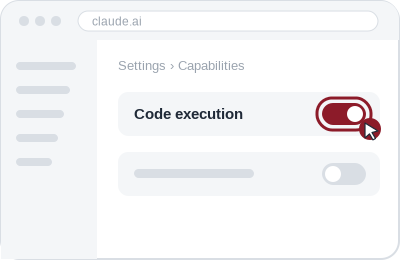
1In Settings, then Capabilities, turn on code execution.
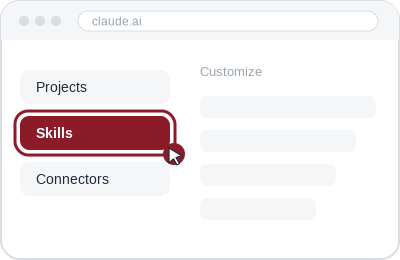
2Open Customize, then Skills.
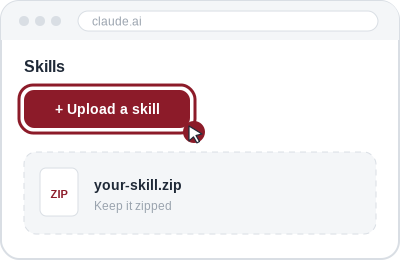
3Click +, choose Upload a skill, pick the ZIP. Keep it zipped.
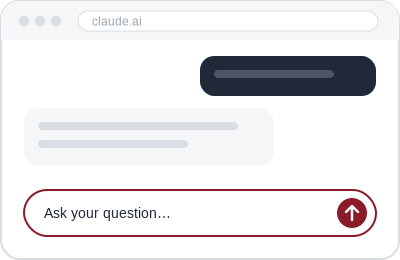
4Start a new chat and ask. Claude picks up the skill.
Works on every Claude plan, including the free one. Free plans have lower usage limits.
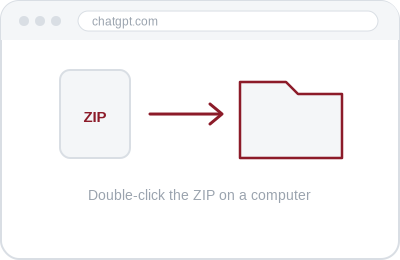
1On a computer, unzip the download and find ANY-AI-PASTE-VERSION.txt.
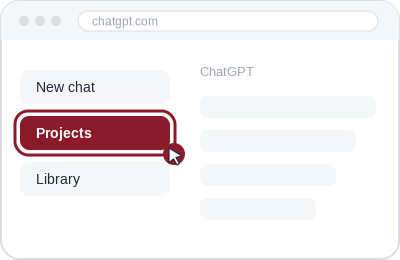
2In ChatGPT, open Projects and make a new project.
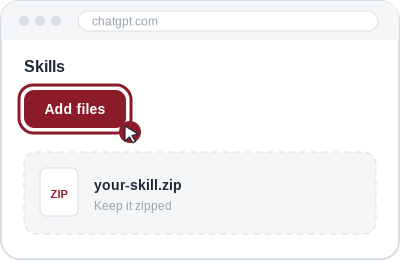
3Add the .txt file to the project. In its instructions, type: Follow the attached file.
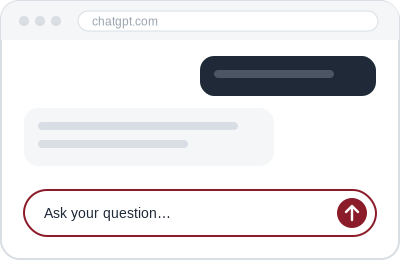
4Start a chat in that project and ask. On a Business, Enterprise or Edu plan, you can upload the ZIP under Skills instead.
Personal ChatGPT plans (Free, Plus, Pro) don't have a Skills page yet, so you use the paste-in version in a Project. On a Business, Enterprise or Edu plan, go to chatgpt.com/skills, choose Add, then Upload from your computer.
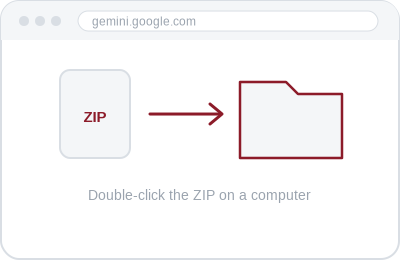
1On a computer, unzip the download. You get a folder.
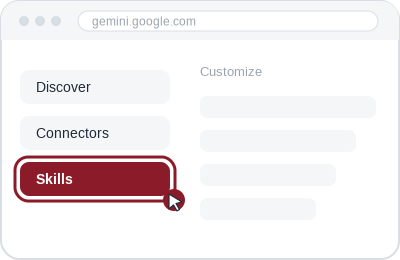
2At gemini.google.com, open Customize, then Skills.
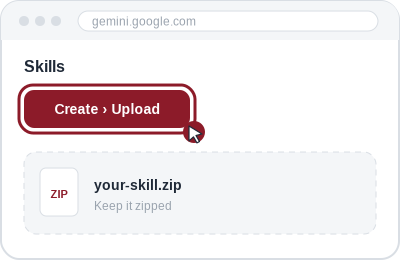
3Choose Create, then Upload, then folder. Pick the unzipped folder.
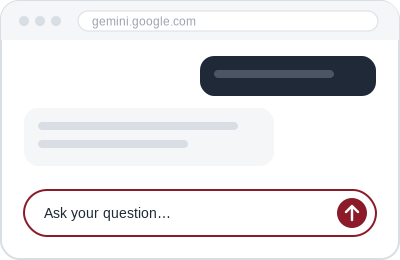
4Start a new chat and ask.
Gemini takes the unzipped folder, not the ZIP. Menus in Gemini change often, so names may differ slightly.
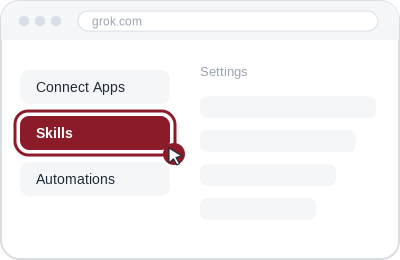
1At grok.com, open Settings, then Skills.
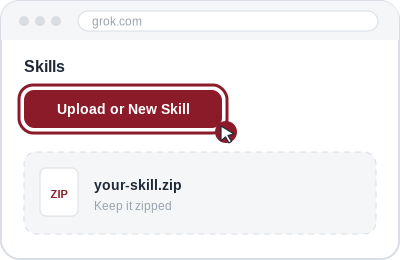
2If you see Upload, pick the ZIP. If you only see New Skill, use the next step.
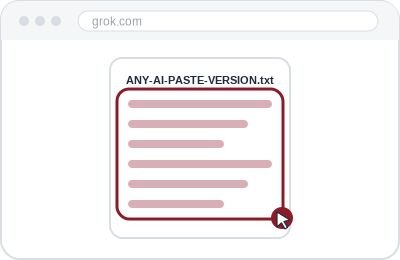
3New Skill: name it, then paste the text of ANY-AI-PASTE-VERSION.txt (below the line of equals signs) into Instructions.
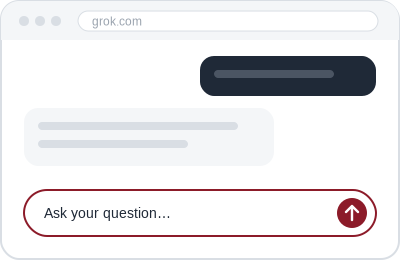
4Save it, start a new chat and ask.
Some Grok plans upload the ZIP; others show a New Skill form, where you paste the skill text in. Menus in Grok change often, so names may differ slightly.
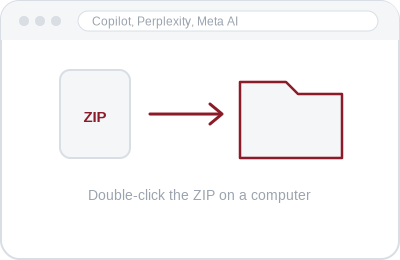
1No Skills page? Unzip the download on a computer.
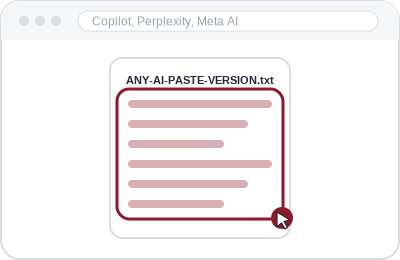
2Open ANY-AI-PASTE-VERSION.txt and copy everything.
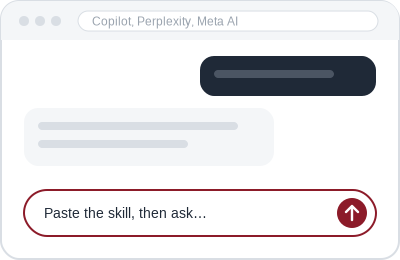
3Paste it into a new chat, then ask your question.
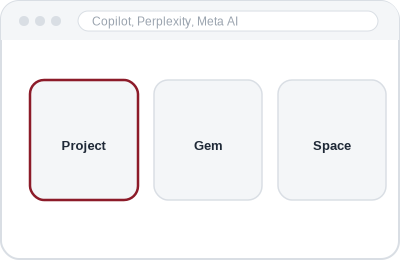
4To keep it on, add it to a ChatGPT Project, Gemini Gem or Perplexity Space.
Using Claude Code, Codex, Cursor or another coding agent? Unzip it into the skills folder, for example unzip floss-box-stitch-guide.zip -d ~/.claude/skills/
On your phone? Go ahead and buy: the download link goes to your email and works for a year. Adding a skill is easiest from a computer, in a web browser or the desktop app, so open that email there when you're ready. Want to try it on your phone today? Open the ZIP, copy ANY-AI-PASTE-VERSION.txt into any chat app, and ask.
Start with the free Fabric Plan
A small skill that takes your pattern's stitch count and gives the finished size, the cut size and the right needle on the fabric you choose.
- Finished size in inches and cm
- Cut size with the right margin
- Fabric count and needle that suit it
Get Floss Box Stitch Guide
Pay once, use it whenever you need it. Includes the free Fabric Plan too.
How to add it
Upload the ZIP under Skills in Claude, or the unzipped folder in Gemini (in Grok, upload the ZIP or paste the paste-in file into a new skill; in ChatGPT, add it to a Project), then start a new chat and try: "I have a cross stitch pattern that's 150 × 120 stitches. I want to stitch it on 16 count Aida and frame it. How much fabric do I cut?"
See the clicks for your app. Every download also comes with a paste-in version for any other chat, and a Start Here PDF.
Step-by-step guides with pictures: Claude · ChatGPT · Gemini · Grok
Floss Box Stitch Guide
Size the fabric, buy the right floss, read the chart and finish it well.
$5 one time
- Fabric, count and cut size math
- Floss and skein estimates per colour
- Pattern reading and stitch guides
- Embroidery stitches and transfers
- Washing, framing and finishing steps
- Fixes for common stitching problems
- Updates for a year
Card, Apple Pay or Google Pay through Stripe. Taxes calculated at checkout. 14-day refund.
Giving it as a gift? Buy it, forward the email, and print a gift card.
See a real answer from the full skill
You ask: My pattern is 200 × 250 stitches and I want it to fit an 11 × 14 inch frame. What fabric should I use?
18 count is just too big, so go a step finer
On 18 count Aida the design is 11.1 × 13.9 in, which won't fit an 11 × 14 opening with any border.
- 40 count linen over 2 (20 stitches per inch): 10 × 12.5 in, leaving about 1/2 in each side and 3/4 in top and bottom. The closest fit, but tight under a mat.
- 22 count Hardanger over 1: 9.1 × 11.4 in, leaving about 1 in and 1.3 in around it. Easier to frame, but small stitches over 1 are slow.
- Keep 18 count and size up the frame to 12 × 16 in: about 1/2 in and 1 in around the design. Easiest to stitch.
Cut size
Add 3 in each side to whichever you choose. For 40 over 2 that's 16 × 18.5 in of linen.
Into more than one hobby? The Skill Pass gets you all 70 hobby skills, this one included, for $19.
New to AI skills?
Floss Box is a skill: a set of expert instructions you add to your own Claude, ChatGPT, Gemini or Grok account, so it answers like a stitching teacher who knows the craft.
- Using Gemini? Unzip it and upload the folder on its Skills page. Using Grok? Under Settings, Skills, upload the ZIP or paste the paste-in file into a new skill. Using ChatGPT? Add the included paste-in file to a Project.
- New to all of them? Claude is an AI assistant made by Anthropic. Make an account at claude.ai: skills work on every Claude plan, including the free one, with code execution turned on in Settings, Capabilities.
- Try the free Fabric Plan skill first. If you like it, the full skill is one purchase.
Not ready for an AI app? The free cross stitch fabric calculator on this site works in any browser, no account needed.
Free stitching tools
No sign-up, they run in your browser.
Made by Nic Hubert, What If Labs
I run What If Labs from British Columbia, Canada. I build each skill with AI help and test it on real questions, and a separate reviewer checks it before it goes on sale. If it doesn't do what this page says, email me at hello@whatiflabs.ai and I'll fix it or refund you.
No reviews yet: this store is new. Tell me how it went and I'll use it to make the skill better.
Questions
Does it cover embroidery as well as cross stitch?
Yes. Counted cross stitch and blackwork in depth, plus surface embroidery stitches, transferring designs, hoop finishing and stabilizers. It also covers the basics of needlepoint canvas sizes.
Can it read my pattern?
If you paste the key and describe the chart, or your AI can see images, it can explain symbols, stitch types and the order to work in. It can't see a chart you haven't shared, and it won't copy a designer's chart for you to share.
Which floss brands does it know?
It works with standard 6-strand cotton like DMC and Anchor (8 m skeins) and explains how to adapt for pearl cotton, silk and hand-dyed floss. For colour matches between brands, it suggests checking a published conversion chart and your own eyes.
I'm a beginner. Is it too much?
Tell it you're new. It will suggest a small starter project, 14 count Aida, 2 strands and the few things that matter most: centre start, even tension and no knots on the back.
What do I need to use it?
A Claude, ChatGPT, Gemini or Grok account. In Claude it works on any plan, including the free one, with code execution turned on (Settings, Capabilities). Free accounts have lower usage limits, so long planning sessions go further on a paid plan. It works in Claude on the web, the desktop app and Claude Code. In Gemini and Grok, upload it on the Skills page. In ChatGPT, personal plans (Free, Plus, Pro) don't have Skills yet, so you add the included paste-in file to a ChatGPT Project; Business, Enterprise and Edu plans can upload the ZIP under Skills. Coding agents that read SKILL.md files work too. Using Copilot, Perplexity, Meta AI or another chat with no Skills page? Every download includes a paste-in version (ANY-AI-PASTE-VERSION.txt) that works in any AI chat.
What if it doesn't work for me?
Email hello@whatiflabs.ai within 14 days of buying and we'll refund you in full. No forms, no questions.
How is this different from just asking an AI?
A general AI answer is often vague or skips steps. The skill gives your AI an expert's method: what to ask you first, the checklists and calculations to run, and the mistakes to warn you about. You get consistent, specific answers instead of a different guess each time.
Do I pay every month?
No. It's a one-time price, and updates to the skill are free.
Can I get a refund?
Yes. Every purchase comes with a 14-day refund, no questions asked. Reply to your receipt email and we'll take care of it.
What if it gets something wrong?
It shows its working, so you can check numbers and dates. Tell it what's off and it will correct itself. For anything where a mistake costs money or safety, double-check before you act, as you would with any advice.
Is my information private?
The skill runs inside your own Claude, ChatGPT, Gemini or Grok account, and we never see your chats. When you buy, Stripe handles the payment and we keep your email and order so we can send the download. The terms and privacy page has the details.